On this page
Every month, the same thing happens on Instagram: DJs post their tour dates. Some posts look like a festival line-up. Others are a screenshot of the Notes app. Promoters, fans and other DJs see both, and they draw conclusions.
Your tour poster is not just a list of dates. It is proof that you are booked, a reminder for fans to buy tickets, and a signal to the next promoter that other people already trust you with their dancefloor. Here is how to make one that does all three, with exact Instagram sizes, three layouts that work, caption templates and a free tool that does it in about 30 seconds.
Key takeaways
- Story: 1080 x 1920 px. Post: 1080 x 1350 px. Keep key text out of the top and bottom 250 px on stories.
- Every date needs the weekday, the event, the city and a country flag or code.
- Use badges (Sold out, New, TBA) to create movement: they give you a reason to post again.
- Put your link in a link sticker, not on the image. Text links can't be clicked.
- One accent color, one bold headline, nothing else fighting for attention.
- Post at the start of the month, pin it as a highlight, update it when dates change.
Why a tour poster matters more than you think
Promoters check your Instagram before they reply to you. They are not counting followers first; they are checking whether you are active and whether other promoters book you. A clean monthly tour poster answers that in two seconds.
It also works on three audiences at once:
- Fans see where to catch you and buy tickets.
- Promoters see that you are booked, where, and how often.
- Other artists and crews see your name next to events they know, which is how most bookings start.
A screenshot of a list does none of that well. A poster with clear hierarchy does.
What to put on your tour poster
- Your artist name, big enough to read in the story preview
- The period: "November 2026", "Q4 2026", "Winter tour" or a custom title
- Each date with the weekday (FRI 14.11 reads faster than 14/11/2026)
- The event or venue name
- The city, with a flag or a country code (BERLIN DE)
- Badges where they are true: Sold out, New, TBA
- A booking contact: a booking email or your presskit link
- Nothing else. No hashtags on the image, no ten sponsor logos
Badges are your secret weapon
Badges give your schedule movement. A date marked New gives you a reason to repost the poster mid-month. A date marked Sold out is the strongest social proof you can show a promoter, because it comes from ticket buyers, not from you. TBA lets you show a city without naming an event before the promoter announces it.
Instagram sizes and safe zones
| Format | Size | Ratio | Keep clear |
|---|---|---|---|
| Story | 1080 x 1920 px | 9:16 | Top and bottom ~250 px (profile name, reply bar, stickers) |
| Feed post | 1080 x 1350 px | 4:5 | Keep text away from the left and right edges: your profile grid crops posts |
| Square post | 1080 x 1080 px | 1:1 | Works, but you lose a lot of space for dates |
For a story, design everything important inside the middle area. Your name and the first date should never sit under Instagram's own interface. For a feed post, 4:5 gives you the most vertical space without being cropped in the feed itself.
3 layouts that work
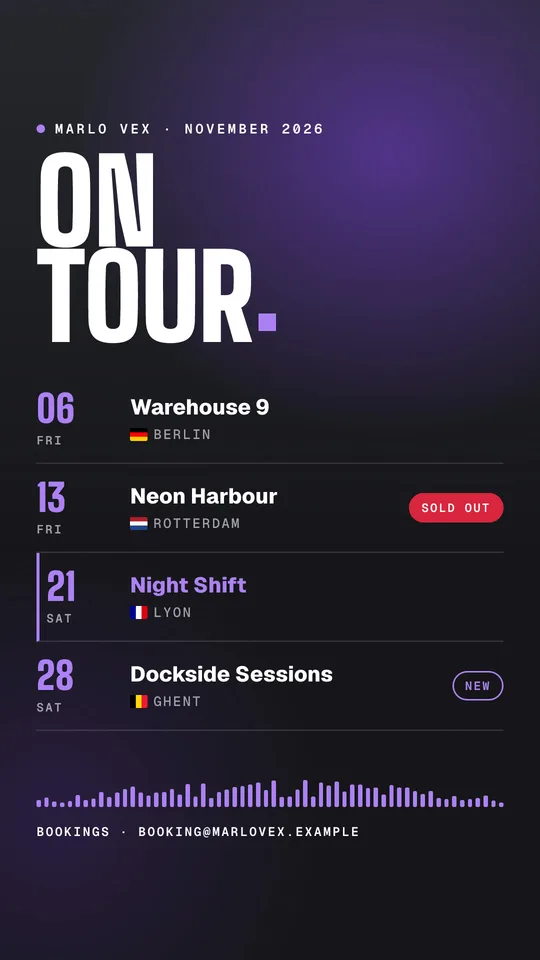
1. The Headliner list
Big two-line headline (ON TOUR), then one row per date: the day number large, the weekday small, the event name bold, the city with a flag underneath, and a badge on the right. A photo of you at the top, darkened behind the list so the dates stay readable.
Best for: 1 to 8 dates, DJs with a strong live photo.
2. The Rave poster
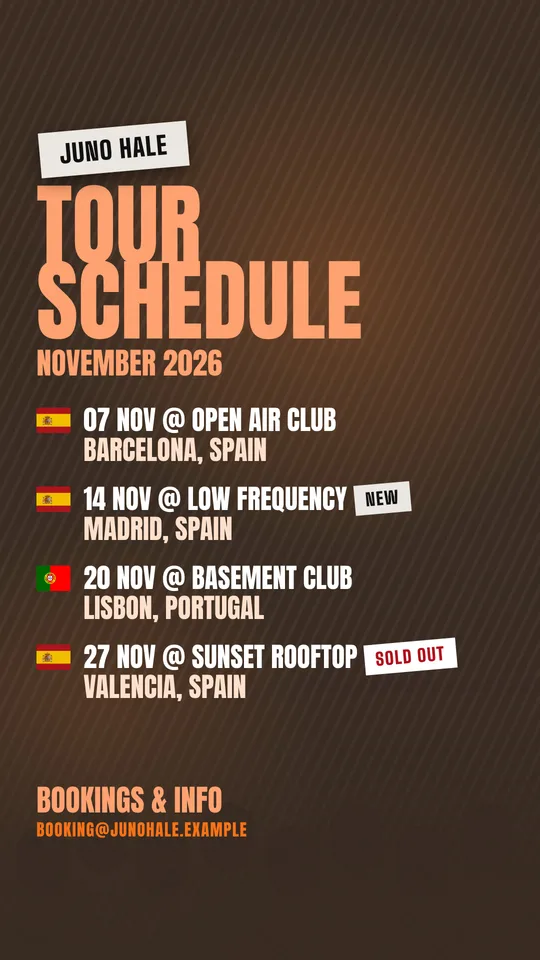
A taped name label, a huge condensed TOUR SCHEDULE title, then one line per date in the classic 07 NOV @ EVENT NAME format with a flag and the city underneath. Diagonal scan lines or grain in the background, the photo turned into a two-color duotone.
Best for: underground, hard dance, techno and anything that should feel like a flyer.
3. Bold cards
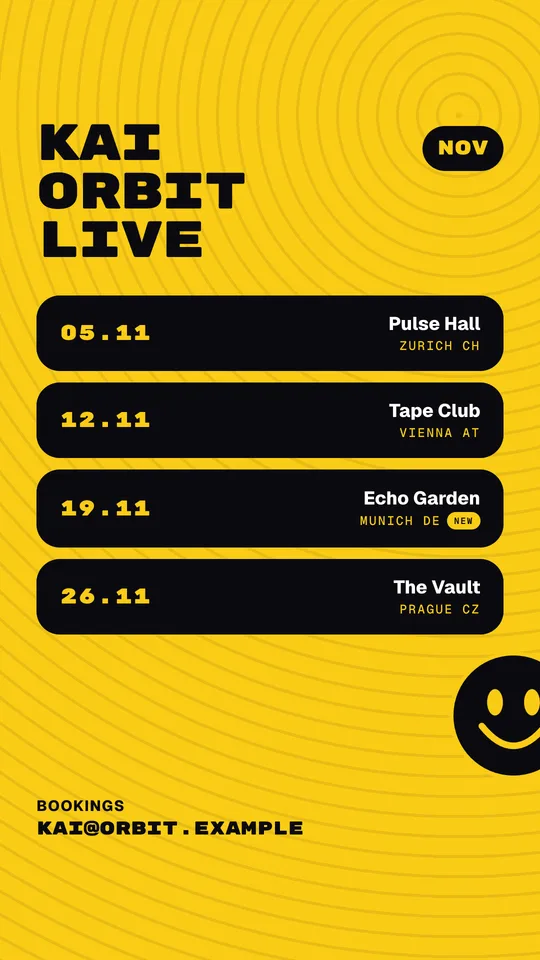
A flat bright background, your name in a heavy mono font with LIVE underneath, each date in a rounded card, and a playful detail like a smiley in a free corner. Maximum contrast, no photo needed.
Best for: standing out in a feed full of dark posters, house and acid sounds, DJs without great photos yet.
How to make one in 30 seconds
You can build a tour poster in Canva or Photoshop, and many DJs do. The problem is next month: you open the file again, retype every row, fix the spacing when an event name is too long, and redo the export for story and post.
The free tour poster maker does the boring part for you:
- Type your dates (or import them from your Backstage presskit if you have one). Cities get their flags automatically.
- Pick a style: Headliner, Rave or Acid.
- Pick a color. Text contrast is adjusted automatically, so it stays readable on any color.
- Download as a story or a post (with a free account). Long event names shrink or wrap so nothing overlaps. In Studio, a busy quarter with 9 or more dates switches to two columns.
Next month, you change the dates and keep everything else.
| Canva or Photoshop | A dedicated tour poster maker | |
|---|---|---|
| First poster | 30 to 60 minutes | About 30 seconds |
| Next month | Retype and re-align every row | Change the dates |
| Long event names | Manual fixing | Shrinks or wraps automatically |
| Flags | Find and place each one | Added from the country |
| Story and post | Two separate designs | One click each |
Caption templates
Monthly tour post
November on tour 🗓️

07.11 Berlin
14.11 Antwerp
21.11 Lyon (new)
28.11 Zürich (sold out)

Tickets and bookings: link in bio.
Which one are you coming to?
New date added
New date added for November: Lyon, 21.11 at [Event] 🇫🇷
Tickets via the link in my bio. See you there.
Sold out update
Zürich is sold out. Thank you 🙏
Still a few tickets for Berlin and Antwerp: link in bio.
When and how to post
- Start of the month (or quarter): post the full poster as a story and as a feed post.
- Pin it as a highlight called "Tour" or "Dates", so promoters checking your profile find it without scrolling.
- Tag every event in the story. Promoters reshare posters that tag them, which puts you in front of their audience.
- Add a link sticker to your presskit or the ticket page. Links written on the image can't be clicked.
- Update, don't spam: repost when a date is added or sells out, not every day.
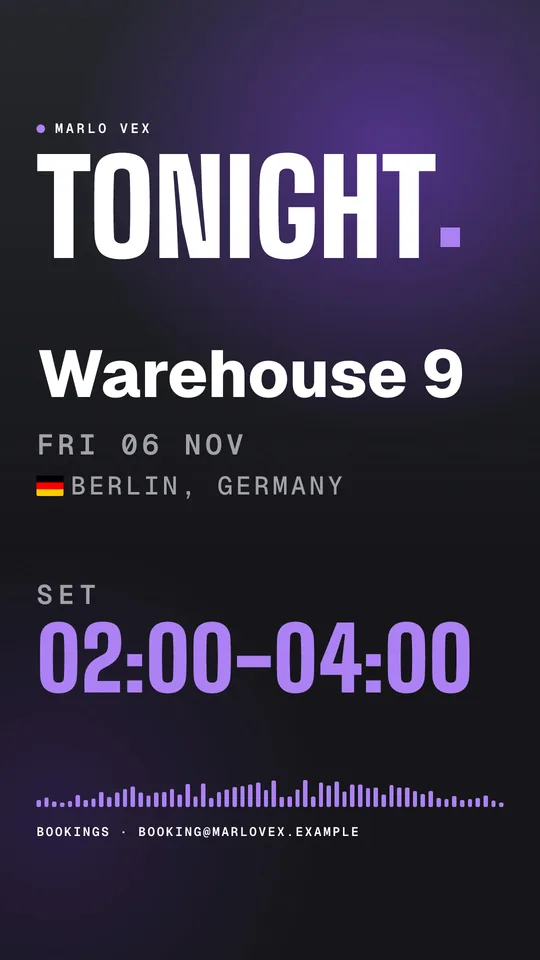
- On gig day, post a short Tonight story with your set time instead of the full schedule again.
Common mistakes
- Text under Instagram's interface at the top or bottom of a story
- No weekday, so people have to check a calendar
- Five colors, three fonts and a busy photo behind the dates
- Past dates still on the poster in the middle of the month
- The booking email missing, or written so small nobody can read it
- Different design every month, so your posters are not recognisable
Make it part of your presskit
A tour poster gets attention. Your DJ presskit closes the booking: mixes, photos, bio, tech rider and a real booking button in one link. Put that link in your Instagram bio and in the link sticker of every tour poster, so the promoter who just saw your dates is one tap away from booking you.
If you want the full process from first contact to signed gig, read how to get booked as a DJ.
Find DJs by genre
Frequently asked questions
What size should a tour poster be for Instagram?
1080 x 1920 px (9:16) for a story and 1080 x 1350 px (4:5) for a feed post. On stories, keep your name, dates and contact out of the top and bottom 250 px, where Instagram puts your profile name, the reply bar and stickers.
What should I put on a DJ tour poster?
Your artist name, the period (for example November 2026), every date with the weekday, the event or venue name, the city with a flag or country code, badges like Sold out or New, and a booking contact. Add your presskit or ticket link with a link sticker, not as text on the image.
How often should I post my tour dates?
Post the full schedule at the start of each month (or each quarter if you play less), pin it as a story highlight, then post an update when a date is added or sells out. On gig day, a short Tonight story with your set time does more than reposting the whole poster.
Is there a free tour poster maker for DJs?
Yes. The Backstage.dj tour poster maker is free: type your dates, pick a style and see your poster live. Downloading needs a free account, which includes one poster a month in the Headliner style.
Can photographers and videographers make one too?
Yes. In Backstage Studio, photographers, videographers and content creators get a Shooting schedule poster with the same layouts, plus Photos are up and Worked with posts.