On this page
Promoters, brands and festivals hire photographers, videographers and content creators the same way they book DJs: they pick the one who makes the decision easy. A great Instagram feed is not enough. They want to know who you have worked with, what you deliver, how fast, what it costs and how to book you.
That is what a media kit is for. Below is exactly what to include, what changes for photographers, videographers and creators, copy templates for every section, and how to keep it up to date without redoing it every month.
Key takeaways
- A media kit sells your work: best work, worked with, services, conditions and a booking button.
- Curate hard: 12 to 20 of your strongest images or 1 to 3 videos beat a full archive.
- "Worked with" is your strongest proof. Use real artists, events, venues and brands only.
- State what is included, how fast you deliver and what usage rights the client gets.
- One online link as the main version, a PDF only when someone asks.
- Update it after every strong event, not once a year.
Media kit, press kit, portfolio, rate card: what's the difference?
| What it is | Who it's for | |
|---|---|---|
| Portfolio | Your work, organised | Anyone browsing your style |
| Media kit | Portfolio + proof + offer + contact | Promoters, brands, festivals deciding to hire you |
| Press kit / EPK | The same idea for artists (DJs, bands) | Promoters and press booking artists |
| Rate card | Your packages and prices in detail | Clients who already want to work with you |
In short: the media kit is the page you send when someone asks "can you shoot our night?" It should answer every follow-up question before they ask it.
What to include in your media kit
1. Who you are, in one line
Your name, what you do and where. One line, specific, no clichés.
One-line intro template
[Name] is a [event photographer / videographer / content creator] based in [city], shooting [the scene: techno nights, hard dance festivals, club culture] across [region or countries].
2. Your best work, curated
This is the part people look at first, so it decides most of the outcome.
- Photographers: 12 to 20 images. Mix crowd energy, DJ portraits in the booth, wide shots of the venue and a few details. Show that you can shoot in dark, fast, chaotic rooms, because that's the hard part.
- Videographers: one showreel of 60 to 90 seconds, then 1 to 3 full aftermovies. Your best 5 seconds go first.
- Content creators: 6 to 9 of your best event posts or reels, ideally with what they achieved (views, saves, shares) next to them.
3. Worked with
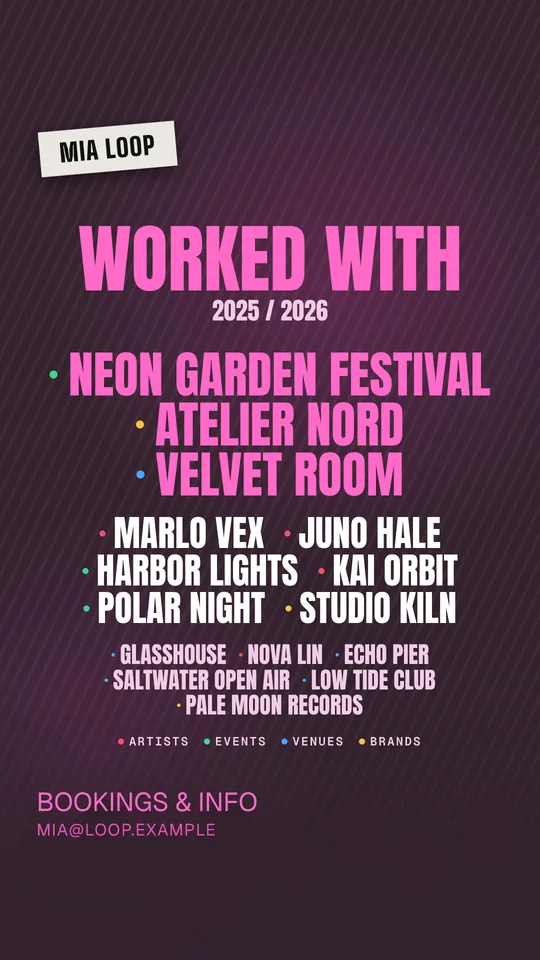
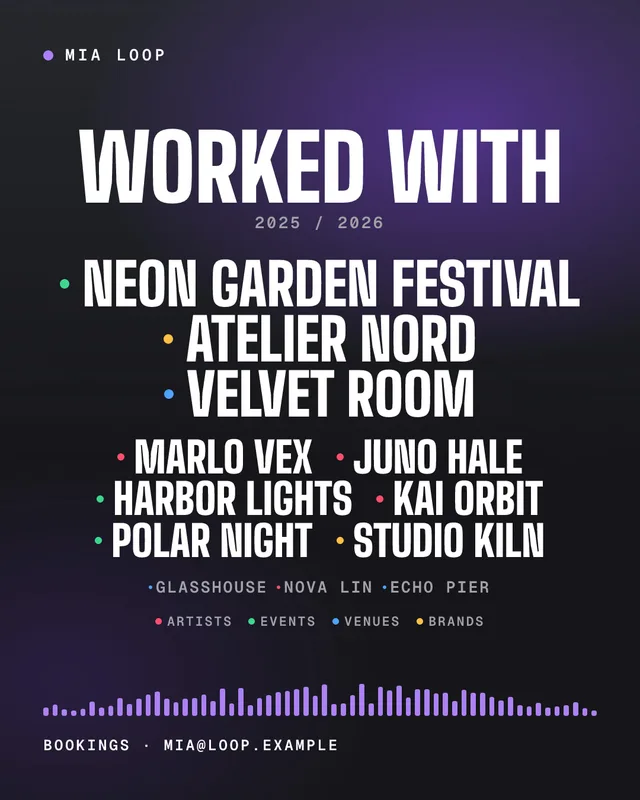
The section that wins the most jobs. List the artists, events, venues, collectives and brands you have actually worked with. Group them so they are easy to scan.
Worked with block
Worked with
Artists: [Artist], [Artist], [Artist]
Events: [Festival], [Club night], [Collective]
Venues: [Venue], [Venue]
Brands: [Brand], [Brand]
Order matters: put the names your target client knows first. A techno promoter cares more about the club nights you shot than about a wedding last summer.
4. Services and packages
Say what people can actually book, in packages, so nobody has to guess.
Services block
Event coverage (photo): up to 5 hours, 40 to 60 edited images, delivered within 72 hours.
Aftermovie (video): 60 to 90 second edit + 3 vertical cuts for reels, delivered within 7 days.
Creator package: 1 reel + 6 to 8 stories on the night + raw clips, posted within 48 hours.
If you want to go deeper on pricing, use the method in our influencer rate card guide.
5. Delivery and conditions
The questions every client has, answered once:
- How fast you deliver (and how: gallery link, drive folder, raw clips)
- What you need on the night: entry, guest list, backstage or stage access, a contact person
- Travel and accommodation outside your city
- Deposit and payment terms
- Whether you edit to a brand style or keep your own look
6. Usage rights
Short and clear. Who can use the content, where and for how long.
Usage rights line
Organic use on the event's and artists' social channels and website is included, with credit. Paid ads, print and use beyond 12 months are licensed separately.
7. Audience and numbers (creators: yes, photographers: optional)
- Content creators sell reach, so include real, current numbers: where your audience lives, average story views, recent reel views. Screenshots from your insights beat round numbers.
- Photographers and videographers sell quality. Numbers are optional; client names and great work matter far more.
Never estimate or round up. Promoters compare notes, and one inflated number can cost you every job after it.
8. How to book you
A clear button or contact at the bottom (and ideally at the top too). Booking email, a form, or a booking button that sends the date, event and budget straight to your inbox.
Booking line
Bookings: [email] · Usually replies within 24 hours.
Send the date, the event, the city and what you need covered.
What changes by role
| Event photographer | Videographer | Content creator | |
|---|---|---|---|
| Lead with | 12 to 20 curated images | 60 to 90 s showreel | Best reels with results |
| Proof | Worked with + published credits | Aftermovies for known events | Audience location + views |
| Key condition | Delivery time for the gallery | Delivery time + formats (16:9, 9:16) | Posting time + usage rights |
| Post-event | Gallery drop: "photos are up" | Aftermovie announcement | Report: views, reach, saves |
PDF or online?
Use an online media kit as your main version. It opens on any phone, videos play in the page, and when you update it, everyone who has the link sees the new version. A PDF goes out of date the moment you send it.
Keep a PDF export for agencies or brands that ask for an attachment, and regenerate it when you update the online version.
Keep it alive (this is where most creatives lose jobs)
A media kit with last year's work quietly tells clients you are not very busy. Build a small routine:
- After every strong event, swap in one or two new best shots or clips.
- Add the new names to Worked with the same week.
- Post about it. A "photos are up" story or a gallery drop post brings your work back in front of the artists and promoters you just worked with, and they reshare it.
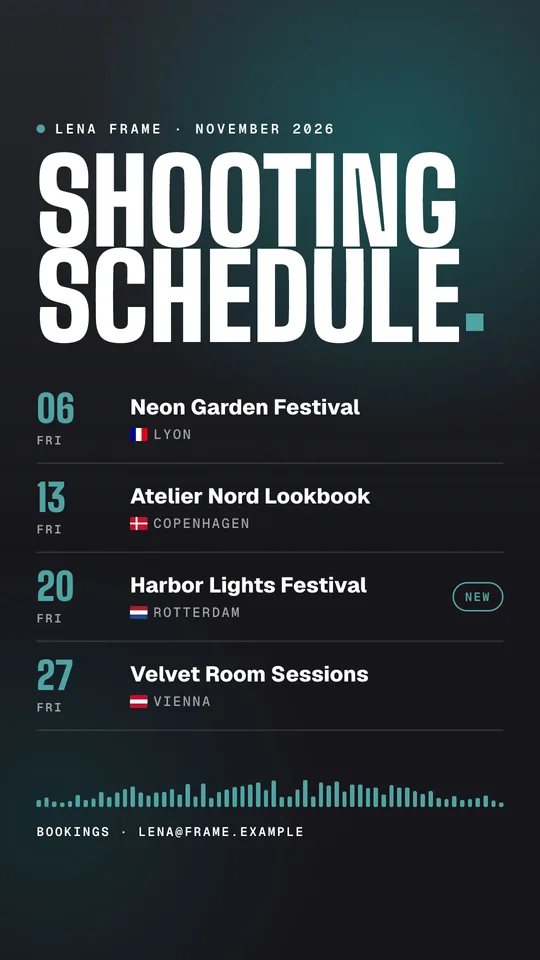
- Once a month, post your shooting schedule so promoters see where you will be.
Common mistakes
- Too much work, not enough curation
- No client or artist names, so there is no proof
- No prices, packages or conditions, so every request starts with "what do you charge?"
- Usage rights missing until there is a problem
- A PDF from last season as the only version
- No booking button, just "DM me"
Checklist before you send it
- One clear line saying who you are and what you shoot
- 12 to 20 images, or a showreel plus 1 to 3 full videos, all recent
- Worked with: real names, grouped, the most relevant first
- Packages with what is included and delivery times
- Conditions and usage rights in two or three lines
- Real numbers only, if you include numbers at all
- A booking contact at the top and the bottom
- It opens and looks right on a phone
If you also work with events as a creator, read how to collaborate with events as a content creator for the pitch, the deliverables and the follow-up that turns one job into a monthly one.
Find DJs by genre
Frequently asked questions
What is a media kit for a photographer or content creator?
A media kit is a short page or document that shows promoters and brands who you are, your best work, who you have worked with, what you offer and how to book you. It is the creative's version of a DJ presskit: one link that answers every question before the first message.
What is the difference between a media kit and a portfolio?
A portfolio shows your work. A media kit sells it: it adds who you have worked with, your services or packages, your conditions, usage rights and a clear way to book you. A good media kit includes a curated portfolio, not the other way around.
Should I put my prices in my media kit?
Put a starting price or your packages if you want fewer back-and-forth messages and fewer unpaid requests. Keep a detailed rate card ready to send on request if your prices depend a lot on the event. Either way, say clearly what is included.
Do I need follower numbers in my media kit?
Event photographers and videographers mostly need great work and real clients, not follower counts. Content creators selling reach should include real, current numbers: audience location, average story views and recent reel views. Never round up or estimate numbers you can't show.
PDF or online media kit?
Use an online media kit as your main version: it opens on any phone, your videos play, and you update it once instead of sending old PDFs around. Keep a PDF export for brands or agencies that ask for an attachment.